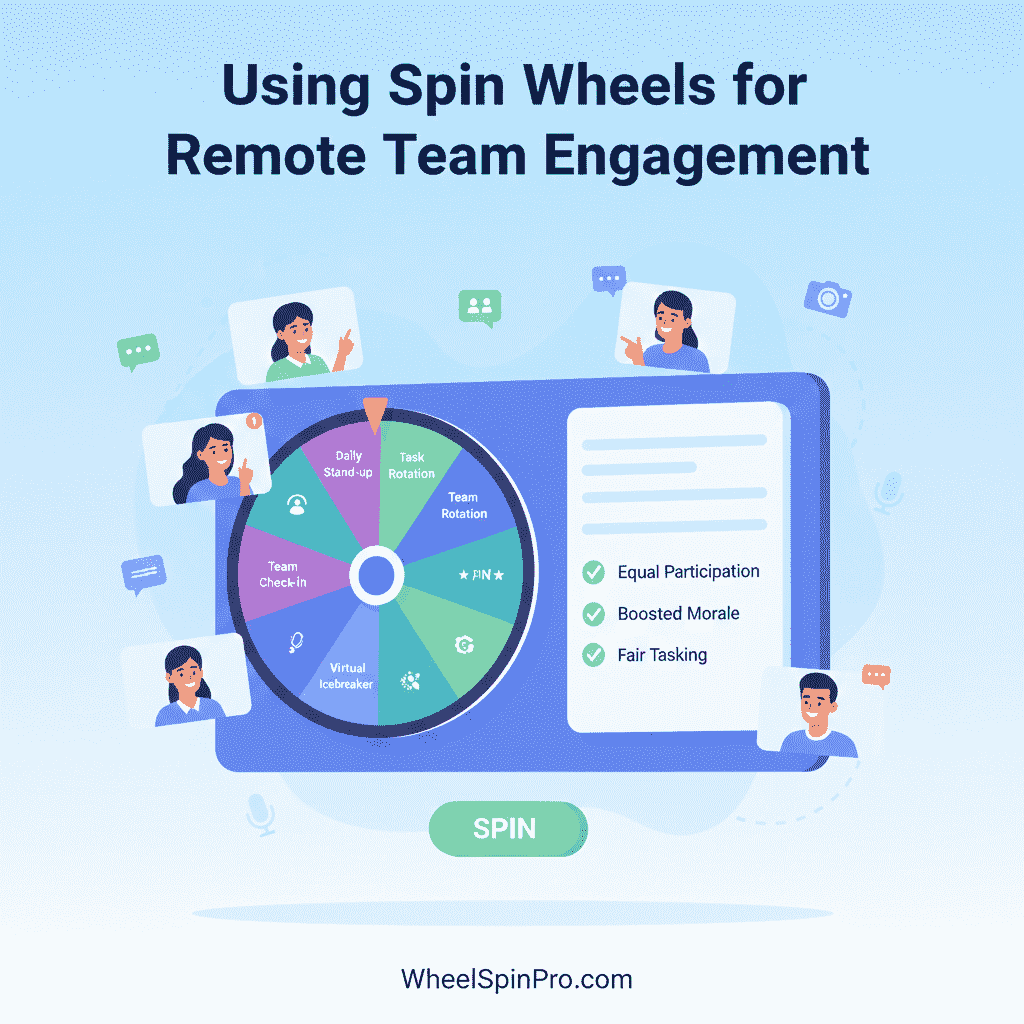
Using Spin Wheels for Remote Team Engagement: Fixing the Participation Architecture of Distributed Work
Remote teams don't disengage because people don't care. They disengage because remote work removes the physical accountability structures that keep people present in co-located environments — and most virtual meetings replace those structures with nothing. A spin wheel is one of the simplest structural interventions available. Here's why it works and how to use it.
The engagement problem in remote work is well-documented and widely experienced — but it is frequently misdiagnosed. Organizations respond to remote disengagement by adding more meetings, lengthening existing ones, or requiring cameras to be on. These interventions address symptoms without touching the structural cause.
The structural cause is this: in a physical office, engagement is partially enforced by social accountability. You can see whether your colleague is paying attention. Body language, eye contact, and physical co-presence create continuous low-level social pressure to remain present. When you're physically visible to your team, the cost of disengagement is social — and that cost is enough to maintain engagement through many situations where it would otherwise drift.
In remote environments, all of this disappears. Cameras are often off. Audio is muted. The parallel world of email, Slack, and other browser tabs is one click away. The social cost of disengagement drops to nearly zero — and attendance that is technically present becomes functionally absent.
Mandatory camera policies and longer meetings don't restore engagement because they address the symptom (invisibility) rather than the mechanism (absence of interactive expectation). What actually restores engagement in remote settings is recreating the expectation that participation is required — not passive attendance but active contribution, at any moment, without warning.
A spin wheel creates exactly this expectation. This article explains the specific failure modes of remote engagement, why standard interventions miss them, and how spin wheels function as structural engagement tools across the different formats remote teams operate in.
The Five Remote Engagement Failure Modes — and Why They're Structural
Remote team disengagement is not one problem. It is five distinct failure modes, each with a different cause and a different remedy. Understanding each one is the prerequisite for deploying engagement interventions that actually work.
| Failure Mode | What It Looks Like | Root Cause | Why Standard Fixes Fail |
|---|---|---|---|
| Passive observation | Cameras off, muted throughout, occasional "sounds good" in chat | No expectation of active contribution; meeting is a broadcast | Mandatory cameras don't create interactive expectation |
| Participation inequality | Same 2–3 people speak; others haven't contributed in weeks | Volunteer-based participation systematically favors extroverts and the most senior | Asking "does anyone else want to add?" doesn't change the dynamic |
| Hybrid inequity | In-room participants dominate; remote attendees are spectators of an in-person conversation | Physical co-presence creates a social advantage that remote participants structurally can't access | Camera-on policies don't address the physical presence asymmetry |
| Meeting fatigue accumulation | Engagement quality deteriorates across sequential meetings; later meetings produce lower-quality contribution | Cognitive depletion from repeated passive processing without meaningful engagement; screen fatigue compounds this | Shorter meetings reduce time but not the passivity that causes fatigue |
| Async disconnection | Team members feel isolated; no shared experience; collaboration feels transactional | Remote work removes casual in-person interaction; relationships narrow to work outputs | Social Slack channels and virtual coffee don't create the participation experiences that build professional connection |
A spin wheel directly addresses the first three failure modes and contributes to improving the fourth and fifth. Critically, it addresses them structurally — by changing the participation architecture of a meeting rather than adding more content to an already passive format.
Why Remote Engagement Is Harder to Fix Than Most Teams Realize
The remote engagement problem is compounded by a specific dynamic that makes it self-perpetuating: disengagement norms are socially contagious.
In a remote meeting where cameras are off and responses are minimal, new team members learn — through observation — that this is the expected behavior. The disengagement norm becomes the group norm. Attempting to break it by speaking up or engaging actively creates a social awkwardness that most participants prefer to avoid — so they conform to the passive norm even if they would prefer to engage.
This is why engagement interventions that rely on individuals voluntarily breaking the norm rarely work. The norm itself needs to change — and norm change in groups requires a structural mechanism, not an appeal to individual motivation.
The Video Call Attention Research
Research on attention in video-mediated communication adds important context. Microsoft's 2021 study on pandemic remote work found that remote meetings produce significantly higher cognitive load than equivalent in-person meetings — because the brain must work harder to decode social cues from a 2D grid of faces than from a physical environment. This cognitive overhead depletes attentional resources faster, which is one of the structural causes of "Zoom fatigue" beyond the simple volume of meetings.
Interactive elements — moments where participants must actively respond rather than passively process — reduce this cognitive load by shifting the brain's processing mode from reception to production. A spin wheel moment in a remote meeting is not just an engagement boost; it is a cognitive mode switch that partially counteracts the fatigue accumulation that passive video calls produce.
How Spin Wheels Restore Engagement in Remote Meetings: The Four Mechanisms
1. The Active Expectation Effect
When a team knows a spin wheel is used in their meetings, every participant attends with an awareness that they may be selected at any moment. This transforms the meeting from a broadcast to watch into a situation to be present in. Preparation quality improves, attention is sustained, and the passive observation norm is broken structurally rather than through repeated requests for engagement.
Research on random selection in educational settings shows that this effect is not dependent on being frequently selected — the mere possibility of selection is sufficient to maintain engagement. Participants who are never actually called on in a given session still attend more actively when they know selection is possible.
2. The Shared Moment Effect
A spin wheel creates a simultaneous shared event — everyone watching the same screen at the same time, experiencing the same anticipation about the same outcome. In remote meetings, these shared moments are rare and disproportionately valuable: they are the closest remote-format equivalent of the shared physical experiences that build team cohesion in co-located environments.
The chat reaction when a name lands on the wheel — the immediate, spontaneous responses from team members — is a form of collective participation that typically only occurs in remote meetings during the most high-stakes moments. A spin wheel generates this response routinely, building the micro-bonds of shared experience that accumulate into stronger team relationships over time.
3. The Equity Signal
In remote meetings where participation has historically been unequal, a spin wheel sends a structural signal that this meeting operates differently: everyone is equally likely to contribute, regardless of seniority, confidence, or time zone. For team members who have previously felt invisible or overlooked in remote settings, this signal has genuine relationship and retention implications.
For hybrid teams specifically — where physical presence already creates a participation advantage — the spin wheel is one of the few tools that structurally equalizes the in-room / remote divide rather than simply acknowledging it exists.
4. The Cognitive Mode Switch
As discussed above, the interactive moment of a spin — watching, anticipating, preparing to potentially respond — shifts participants from passive reception to active processing. This mode switch reduces fatigue accumulation over a meeting, which means later agenda items receive higher-quality attention than they would in an equivalently-long passive meeting.
Implementation Guide: Spin Wheels Across Remote Meeting Formats
Daily Standups
The standup is the highest-frequency remote meeting format and the one where disengagement accumulates fastest — because its repetitiveness makes the passive observer norm particularly sticky. A spin wheel for standup speaker order costs 5 seconds and produces disproportionate engagement benefits:
- Eliminates the awkward opening silence as no one wants to go first
- Signals that attendance is active, not observational
- Removes the predictability that allows the first half of the team to mentally drift while waiting for their turn in a fixed rotation
- Creates a brief moment of shared anticipation that shifts the energy before the first update begins
Setup: Pre-build a name wheel with all standup participants. Share screen before the meeting opens. Spin as the opening action — before any agenda discussion. Remove the selected participant from the wheel until all members have gone, then reset for the next session.
Weekly Team Check-ins and 1:1s
Weekly check-ins serve a relationship function as much as an informational one — they are the primary venue in remote environments for the casual connection that happens naturally in physical offices. A spin wheel in this context shifts from name selection to topic or prompt selection:
- Load a prompt wheel with team-appropriate check-in questions (mix of work-focused and personally-adjacent)
- Open each check-in by spinning for the conversation opener — what's something you're proud of this week, what's an obstacle you're still working through, what's one thing on your mind that isn't on the agenda
- The unpredictability of the prompt prevents the check-in from becoming a rote reporting exercise and maintains the sense of genuine discovery that makes check-ins feel worthwhile
Sprint Retrospectives and Reviews
Retrospectives are particularly vulnerable to the same-voices problem: the most vocal team members shape the retrospective narrative while others' experiences go undocumented. A spin wheel in retrospectives serves two functions — participation equity and format structure:
For each retrospective category (what went well, what to improve, what to try), spin to select who shares first. This prevents the first sharer from anchoring the group's responses and ensures the retrospective hears from different voices across different categories.
For action items where ownership is unassigned and multiple team members are equally qualified to lead, spin to assign. This removes the social awkwardness of volunteering (nobody wants to take on more work) and the managerial awkwardness of unilateral assignment — the wheel chose, and the team accepts it.
For teams that rotate retrospective formats (Start/Stop/Continue, 4Ls, sailboat, etc.), a wheel loaded with format options adds novelty to the session without requiring anyone to research or propose a format — it appears and everyone commits to it.
Hybrid Meetings: The Highest-Value Application
Hybrid meetings — where some participants are physically co-located and others are remote — represent the most challenging engagement environment and the context where spin wheels deliver the highest relative value.
In hybrid meetings without structured equity mechanisms, the participation gap between in-room and remote participants is predictably large: physical presence allows easier interjection, better read of social cues, and stronger relationship with the facilitator. Remote participants experience the meeting as spectators of an in-person conversation that occasionally acknowledges their existence.
A spin wheel deployed in hybrid meetings addresses this directly:
- Name wheel includes all participants equally — remote and in-room names appear on the same wheel with equal probability, structurally equalizing their selection likelihood
- Spin is performed on a shared screen visible to all locations — everyone watches the same event simultaneously, reducing the "two separate meetings" dynamic of hybrid formats
- Remote participants are selected at the same rate as in-room participants — over time, the wheel produces an equitable distribution that no voluntary or facilitator-directed system naturally achieves in hybrid contexts
Virtual Team Building and Social Sessions
Remote team social sessions face a particular challenge: the absence of a shared physical activity means that conversation has to carry the entire relational load. Without the natural social lubricant of a shared experience (a meal, a walk, a game), virtual social sessions often feel effortful rather than genuinely enjoyable.
A spin wheel for virtual team building provides the shared interactive experience that makes conversation easier:
- Icebreaker prompt wheel — loaded with genuinely interesting prompts calibrated to the team's familiarity level; spin determines both the question and who answers
- Activity selection wheel — when the team has agreed on several possible virtual activities, spin to choose which one starts; removes the "what does everyone want to do" deliberation that often derails social sessions before they begin
- Challenge wheel — for gamified virtual events, a wheel loaded with challenges, trivia categories, or game formats selects what each round involves, adding variety and unpredictability that sustains energy through longer sessions
- Recognition wheel — at the end of a session or sprint, spin to select which team member receives a peer acknowledgment or shoutout; makes recognition feel equitably distributed rather than admin-curated
Time Zone and Asynchronous Teams: Adapting Spin Wheels for Distributed Contexts
Not all remote teams operate synchronously. Distributed teams across multiple time zones frequently rely on asynchronous communication — recorded video updates, async standup tools, and written check-ins — rather than live meetings. Spin wheels can contribute to engagement in these contexts with format adaptation.
Asynchronous Standup Prompts
For teams using async standup tools (Loom, Status Hero, Range, or similar), a spin wheel can be used to generate the week's standup prompt in advance. The facilitator spins at the start of the week, records the selected prompt, and shares it in the async tool as the opening question for all submissions. This creates a shared discussion thread rather than a collection of separate individual updates — improving the connection value of async standups without requiring synchronous time.
Rotating Async Responsibilities
For distributed teams with async responsibilities that rotate (who writes the weekly team summary, who manages the async standup thread, who curates the team newsletter), a recorded spin draw performed by the facilitator at the start of each rotation period is more defensible and more accepted than admin assignment — even when the team isn't watching live. The recording is shared as proof of fair selection.
Making Time Zone Equity Visible
For teams where some members are consistently disadvantaged by meeting time zones (early morning or late evening calls due to geographic distribution), a spin wheel for the "gets to pick the meeting time" role acknowledges and attempts to distribute this burden rather than silently leaving it on the same team members session after session.
Building Spin Wheel Habits in Your Remote Team: What Sustains Engagement Over Time
The initial deployment of a spin wheel in a remote team produces a novelty effect — engagement spikes because something different is happening. The question is what sustains engagement after the novelty wears off. The answer is habit formation — and habit formation requires specific conditions.
Consistency Over Frequency
Use the spin wheel in the same meeting format, in the same position in the agenda, every session. A spin wheel used unpredictably produces novelty but not habit — the expectation of potential selection that drives sustained engagement requires consistency. If the standup always opens with a spin, team members always arrive prepared to potentially go first. If the spin only happens sometimes, the preparation norm doesn't form.
Keep It Fast
The spin should take under 10 seconds from opening the wheel to completing the spin. Any setup time that bleeds into the meeting creates friction that accumulates into resentment over repeated sessions. Pre-build wheels, keep them saved, and open them as the first action when the meeting starts — not after five minutes of technical preparation.
Refresh the Content, Not the Tool
For prompt wheels, refresh the prompts periodically — rotate in new questions, remove ones that have been used, add questions that reference recent team events or shared experiences. The tool itself should remain constant (consistency builds habit); the content should evolve (novelty sustains engagement).
Name the Practice
Teams that give their spin wheel practice a name — "the opening spin," "the wheel check-in," "spin to win the floor" — create a shared vocabulary that reinforces the habit and makes it part of the team's identity rather than just a facilitation tool. Named practices have higher adoption persistence than unnamed ones because they carry social identity weight that makes abandonment feel like a loss.
Common Mistakes When Using Spin Wheels for Remote Engagement
- Loading the wheel after the meeting has started — fumbling with setup in front of the team creates exactly the kind of technical friction that remote meetings are already over-indexed on. Build and open the wheel before the first participant joins.
- Using it only when engagement is already low — deploying a spin wheel reactively (when the meeting feels flat) signals to the team that it's a rescue tool rather than a standing practice. It won't build the expectation norm that drives sustained engagement.
- Not removing previously selected names — in a 10-person standup where the same three names keep appearing, the spin wheel starts feeling rigged. Track and exclude previous selections to ensure rotation across the full team over multiple sessions.
- Treating remote-only and hybrid sessions identically — hybrid meetings have the additional challenge of physical presence asymmetry. A spin wheel that is only visible to in-room participants, or only operated from the in-room screen, doesn't serve its equity function for remote participants. Ensure the shared screen is visible to all locations simultaneously.
- Overusing it within a single session — one or two spin moments per meeting maintains energy; four or five makes the meeting feel like a game show rather than a productive session. Use it deliberately, at the highest-value moments.
- Not framing the purpose for new team members — joining a team that uses spin wheels without explanation can feel arbitrary or anxiety-inducing. Brief new hires and onboarding participants before their first spin session: what it is, why the team uses it, what the expectation is.
Using WheelSpinPro for Remote and Distributed Team Engagement
WheelSpinPro is designed for the specific operational requirements of remote meeting facilitation — where the tool must work instantly, require no setup during the live session, and display clearly through screen sharing on any platform:
- Browser-based, no installation — works on any device and operating system; no IT approval, no software distribution to distributed team members across different locations
- Pre-built saveable wheels — create your standup name wheel, your check-in prompt wheel, and your retrospective format wheel once; open them in seconds at the start of each session without re-entering data
- Results history tracking — automatically log previous selections; remove recently selected participants to ensure fair rotation across a team over multiple sessions
- Clean screen-share visual — the interface is optimized for visibility through video conferencing screen shares; no visual clutter competing for attention on a compressed video stream
- Multiple formats — Classic Wheel for standard name and prompt selection, Center Spin for larger team displays, Coin Toss and Dice Roll for binary or numbered selections in team games and challenges
- Works on tablets and phones — for team members joining from mobile devices, the spin experience is fully touch-optimized without requiring desktop access
For the full context of how spin wheels are applied in physical and hybrid events alongside remote use, see our guide on using spin wheels for events and team building.
Final Thoughts: Remote Engagement Is an Architecture Problem, Not a Motivation Problem
Remote teams don't disengage because they lack commitment or care. They disengage because the architecture of remote meetings — passive broadcast format, volunteer-based participation, no social accountability for disengagement — systematically produces passive attendance even from highly motivated team members.
Fixing remote engagement requires architectural changes, not motivational ones. Camera policies, longer meetings, and more frequent check-ins are motivational interventions applied to a structural problem — and they predictably underperform.
A spin wheel is an architectural intervention. It changes the participation structure of a meeting by creating the expectation of active contribution rather than passive attendance. It equalizes speaking opportunity across personality types, seniority levels, and geographic locations. It creates shared interactive moments that build the team cohesion that remote formats structurally undermine.
None of this is complicated. The spin takes five seconds. The wheel costs nothing. The engagement return — sustained over hundreds of meetings across a distributed team — is compounding and measurable.
That is not a productivity hack. That is a fundamental improvement to how your remote team works together.
📎 Related Articles on WheelSpinPro
- How Spin Wheels Improve Team Productivity — workplace participation equity and meeting facilitation in both remote and in-person settings
- Spin Wheels as Icebreaker Tools — full icebreaker prompt design guide for virtual and in-person sessions
- Using Spin Wheels for Events and Team Building — live and virtual event engagement applications
- Using Spin Wheels to Make Decisions Faster — cognitive offloading and decision speed in group contexts
- Try the Classic Spin Wheel — build your remote standup and check-in wheels in under a minute
Frequently Asked Questions
📚 External References
- Bailenson, J. N. (2021). Nonverbal Overload: A Theoretical Argument for the Causes of Zoom Fatigue — Technology, Mind, and Behavior, 2(1). Research establishing the cognitive mechanisms behind video call fatigue, including the higher cognitive load of 2D face processing versus in-person interaction — directly relevant to why interactive elements reduce remote meeting fatigue. APA Open
- Microsoft WorkLab. (2022). Research Proves Your Brain Is Tired from Video Calls — Microsoft Work Trend Index. EEG research showing that remote meetings produce higher beta-wave stress indicators than in-person meetings, and that collaborative (interactive) remote work reduces this stress response compared to passive participation. Microsoft WorkLab
- Tannenbaum, S. I., Mathieu, J. E., Salas, E., & Cohen, D. (2012). Teams Are Changing: Are Research and Practice Evolving Fast Enough? — Industrial and Organizational Psychology, 5(1). Research on distributed team dynamics, including the structural participation disadvantages of remote team members in hybrid contexts and evidence-based interventions for equity. Wiley Online Library

Written by the maker of Wheel Spin Pro
The developer behind Wheel Spin Pro's spin engines and 140+ unique pickers, writing practical guides on fair random selection for classrooms, giveaways, and events. More about the project.